
Link to Products + Stages
Whether it’s a fit review, lab dip approval, or photo shoot, every task stays tied to its stage for full visibility.
AI powered fashion PLM
Tasks in Lifecycle aren’t just to-dos - they’re connected to products, stages, and timelines.
Book a free demo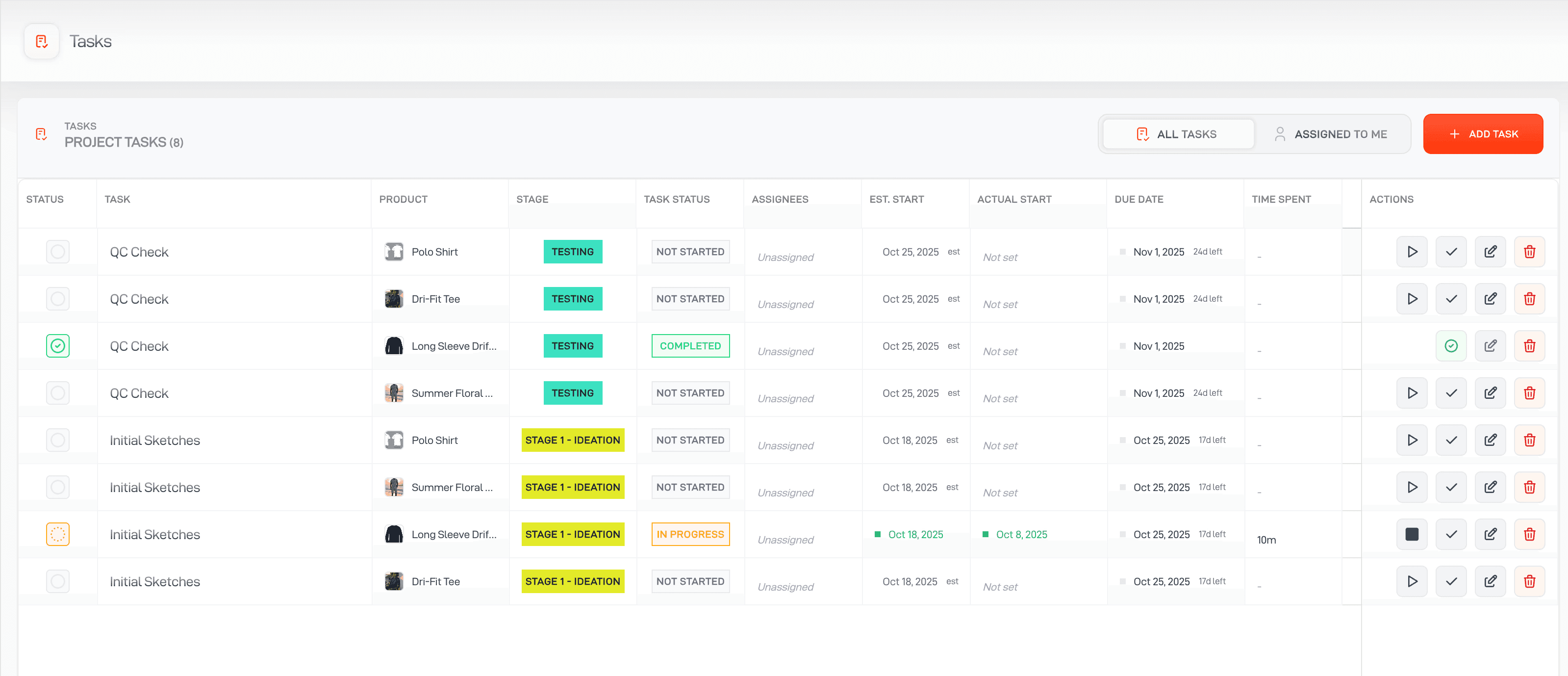
Whether it’s a fit review, lab dip approval, or photo shoot, every task stays tied to its stage for full visibility.
Define your stages and tasks once - like “Design,” “Proto”, and Lifecycle builds the task list automatically.
Batch-edit, reschedule, or reassign tasks across projects and stages in seconds.
Work tied to product context
Generic task tools can show an owner and due date but often lose the product decision behind the work. Lifecycle keeps tasks connected to the relevant product, collection, stage, and timeline.
Use default task templates to create the expected work when products enter a project or development stage.
Give each action an owner, due date, status, and product context so teams know what is required and why.
Review upcoming, due, and overdue work across products and collections without assembling separate status reports.
Batch edit, reschedule, or reassign work when a collection plan, approval, supplier, or delivery date changes.
Automate tasks
When you add products to projects, see your tasks for each stage in your workflow automatically be created, and assigned to the relevant team members.
Ensure that everything stays on time, all the time.
Book a demo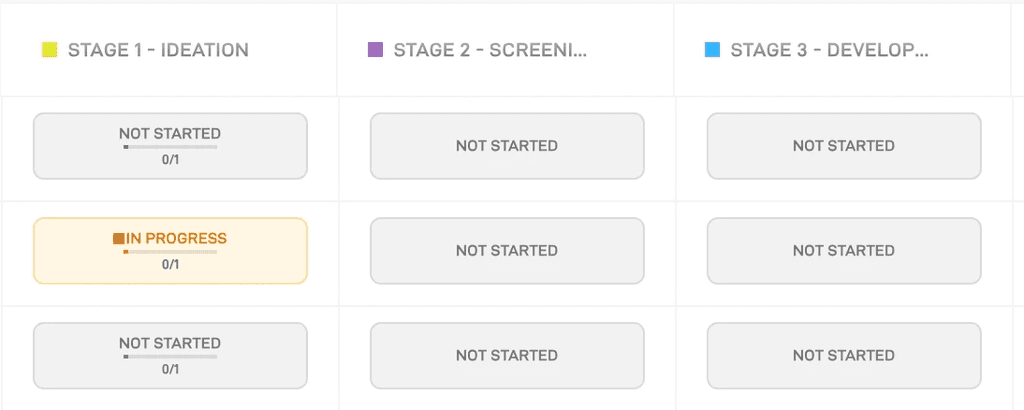
Never miss a beat
With smart due dates and notifications, you'll always be notified when tasks are upcoming, due and overdue. Never miss the most important updates and act fast to reduce delays.
Buyer questions
Clear answers about where this workflow fits in Lifecycle.
Tasks stay connected to the relevant product, collection, workflow stage, and timeline, giving the owner the context behind the action.











See how one connected fashion PLM can help your team move from first idea to approved product with more speed, clarity, and control.