Plan the inspection
Set the lot size, inspection level and AQL settings to resolve a sample size and acceptance and rejection counts.
AI powered fashion PLM
Keep quality inspections close to the products and purchase orders they belong to. Set a sampling plan, record findings, and give your team a clear result to review.
Book a free demo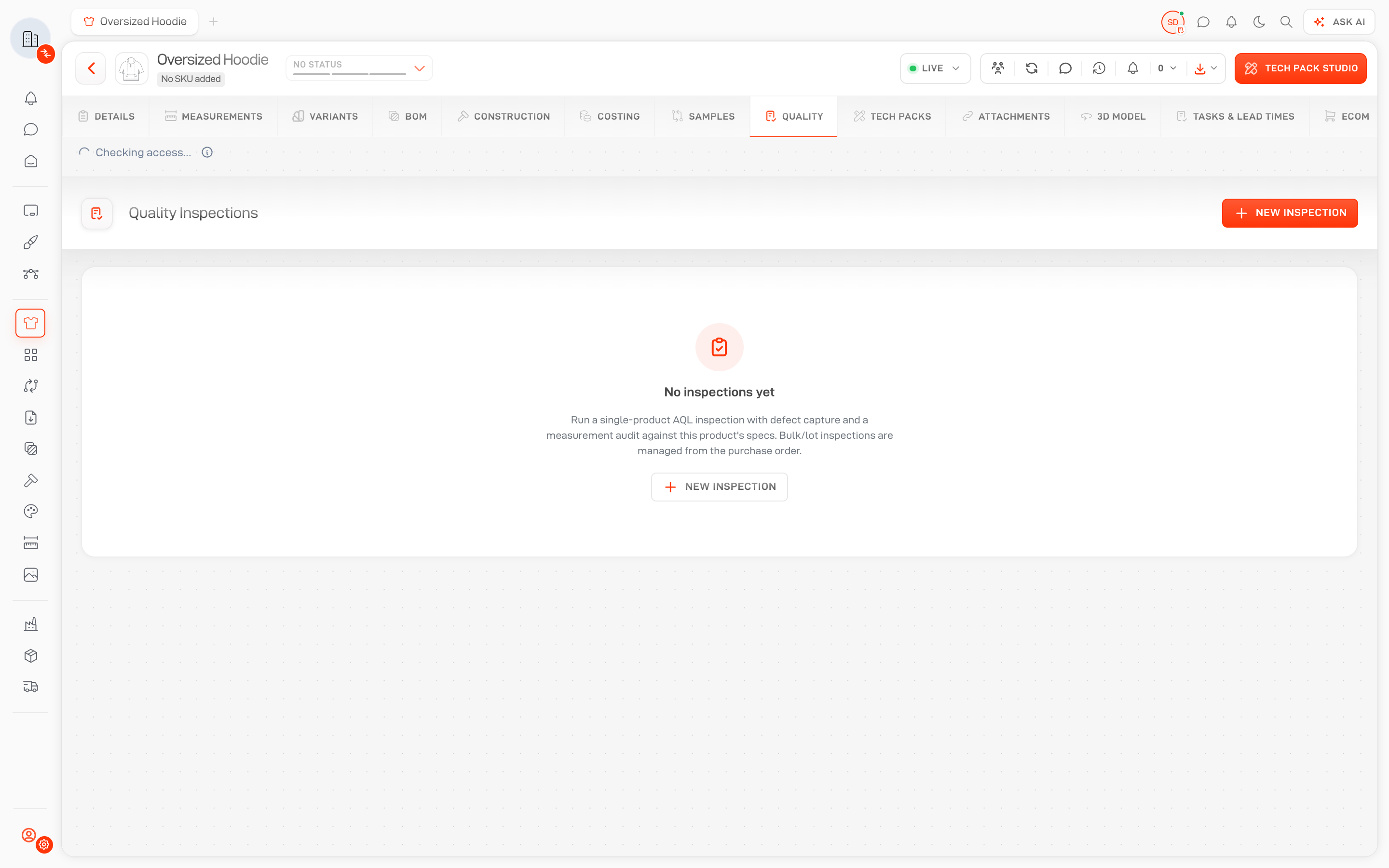
Set the lot size, inspection level and AQL settings to resolve a sample size and acceptance and rejection counts.
Record defect classifications, quantities, locations, notes and photos against the inspection.
Submit inspections, manage sign-off and create a re-inspection from the same product or order context.
AQL sampling plans
Create an inspection for a product or selected purchase order line items. Choose the inspection type, date, location, lot size and inspection level.
The sampling plan shows the sample size and acceptance and rejection thresholds for critical, major and minor defects. Compare the recorded findings with the resolved plan.
Book a demo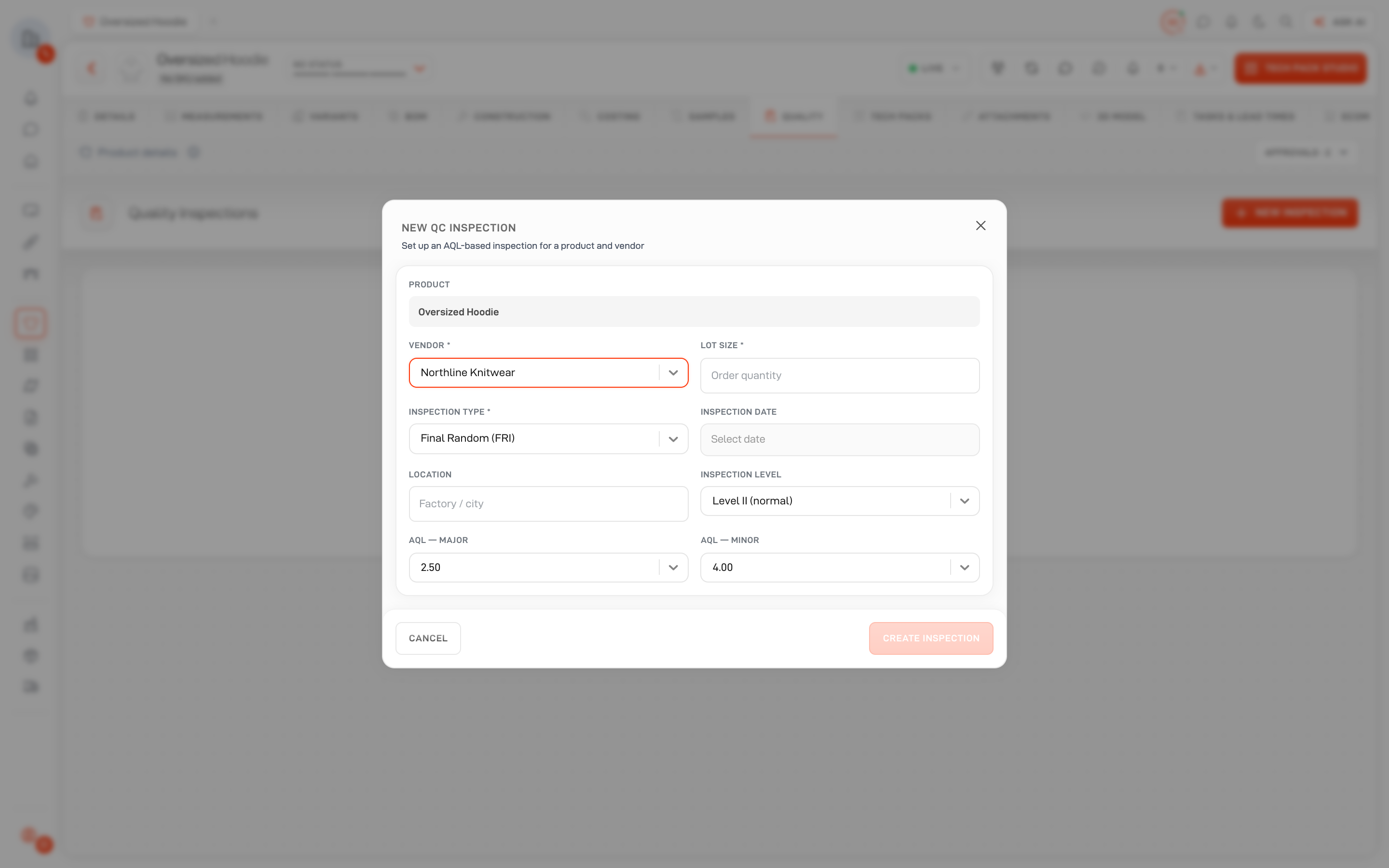
Defects and review
Log defects with a classification, quantity, location, note and supporting photos. Review found counts and the inspection result in the quality workspace.
Save work in progress, submit the inspection and complete sign-off with the appropriate permissions. Create a re-inspection when the lot needs another review.
Buyer questions
Clear answers about where this workflow fits in Lifecycle.
Inspections are available from the Quality tab on products and purchase orders. Purchase order inspections can be created for selected line items.









See how one connected fashion PLM can help your team move from first idea to approved product with more speed, clarity, and control.